
- Why Choose Mistral AI’s Vibe for Sensitive Data?
- How to Set Up Your Workspace: Step-by-Step Vibe Tutorial
- Activating Web Search and News Sources
- Analyzing Complex Documents with Built-in OCR
- Mastering Complex Document Ingestion and OCR
- Real-Time Collaboration with Vibe Work
- Structuring Collaborative Projects with Vibe Work
- What Are the Platform’s Current Technical Limits?
- How to Organize Knowledge with Custom Libraries
- Writing Effective Prompts to Maximize Response Relevance
- Comparing Models and Plans Available in the Ecosystem
🎙️ Tester's Verdict (Audio)
Listen to our final thoughts
📌 What changed:
On May 28, 2026, Mistral AI renamed Le Chat to Vibe. It’s more than a cosmetic update: the assistant now spans three modes – Chat (the classic turn-based conversation you already know), Work (a task-automating agent connected to your business apps), and Code (a coding agent with cloud sandboxes). Existing accounts, plans, and conversation history all carried over automatically, and the URL (chat.mistral.ai) hasn’t changed.
Why Choose Mistral AI’s Vibe for Sensitive Data?
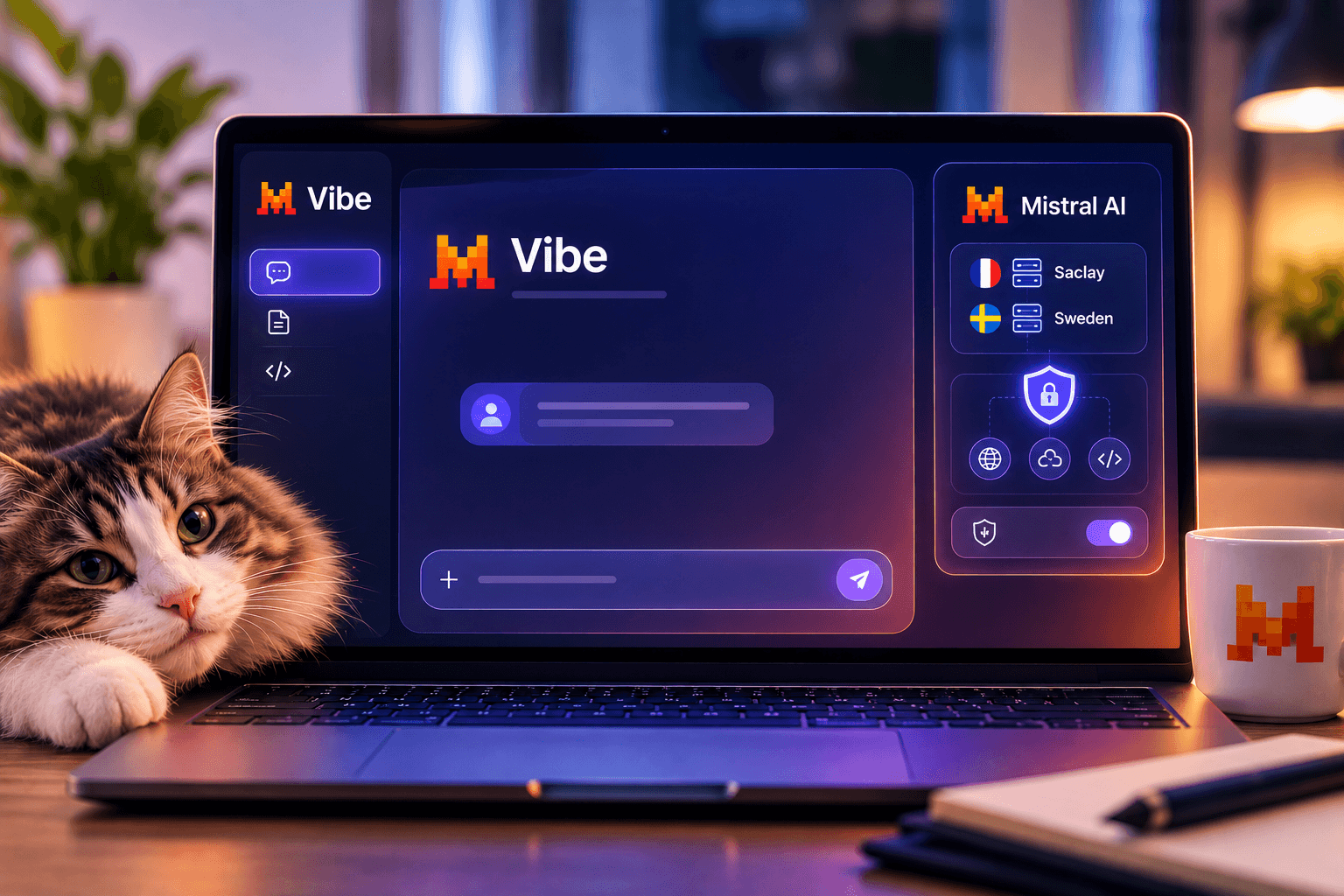
Mistral AI’s Vibe guarantees your queries are hosted in data centers located exclusively in Europe. This choice ensures total GDPR compliance. In practice, I’ve often hesitated to submit internal financial data to American tools. Indeed, the confidentiality of this information is never 100% guaranteed over there. With the Parisian alternative, that problem is solved. Your documents are not used to train models without your explicit consent, and a no-telemetry mode is available on paid plans for an extra layer of assurance. Moreover, security is a major selling point here for cautious businesses. In my opinion, this is the tool’s main strength today. According to Mistral AI (2024), the inaugural Mistral Large model scored 81.2% on the MMLU benchmark, immediately positioning itself among the best AIs on the market. Yet raw performance isn’t everything. Digital sovereignty remains a crucial issue for our economy.
Strict GDPR compliance at the heart of the project
Mistral AI’s strict compliance with GDPR guarantees that your data will not be transferred unauthorized outside the European Union. Local infrastructure hosting ensures optimal legal protection for all your interactions, whether you’re working in Chat, Work, or Code mode. Indeed, many organizations are increasingly prioritizing European-hosted AI solutions due to strict GDPR compliance requirements and a growing awareness of technological dependency, with 77% of enterprises factoring a vendor’s country of origin into AI purchasing decisions. Mistral offers a concrete solution with highly secure servers. Additionally, the terms of service scrupulously respect user privacy.
How to Set Up Your Workspace: Step-by-Step Vibe Tutorial
Configuring Vibe takes just a few clicks via a web browser or the dedicated mobile app. Free registration allows you to keep your conversation history and unlock all analysis features. To get started, go to chat.mistral.ai – the address hasn’t changed despite the rebrand. You need to create an account with your email address. Just like that, you instantly access the clean interface. The main screen features an input field at the bottom, along with a switch to pick between Chat, Work, and Code modes. This is where you write your instructions, called prompts. For example, try asking it to summarize a complex idea in Chat mode. The AI will respond immediately. For use cases requiring minimal latency, Mistral AI (2025)‘s Mistral Small 3.1 model offers an ideal compromise between cost and responsiveness.
Le Chat’s transition into the unified Vibe agent
The transition from Le Chat to Vibe unifies Mistral AI’s chat and code tools under a single, more powerful interface. This evolution simplifies access to intelligent agents that can plan and carry out multi-step tasks, not just answer questions. In practice, this rebranding came with a genuine ergonomic overhaul rather than a simple coat of paint. As a result, switching between the Chat, Work, and Code modes is much smoother than juggling separate tools. I’ve noticed the sidebar now surfaces a dedicated Context section for connecting your apps, plus a Scheduled tab for recurring automations. This layout aligns with the official launch, which highlights how the agent can autonomously orchestrate and schedule recurring, multi-stage business processes across external databases and tools. Still, user habits remain largely unchanged for long-time Le Chat users: the familiar conversational experience is preserved inside Vibe Chat, just with two powerful new modes layered on top.
Activating Web Search and News Sources
The assistant’s interface provides access to the global web to enrich your responses.
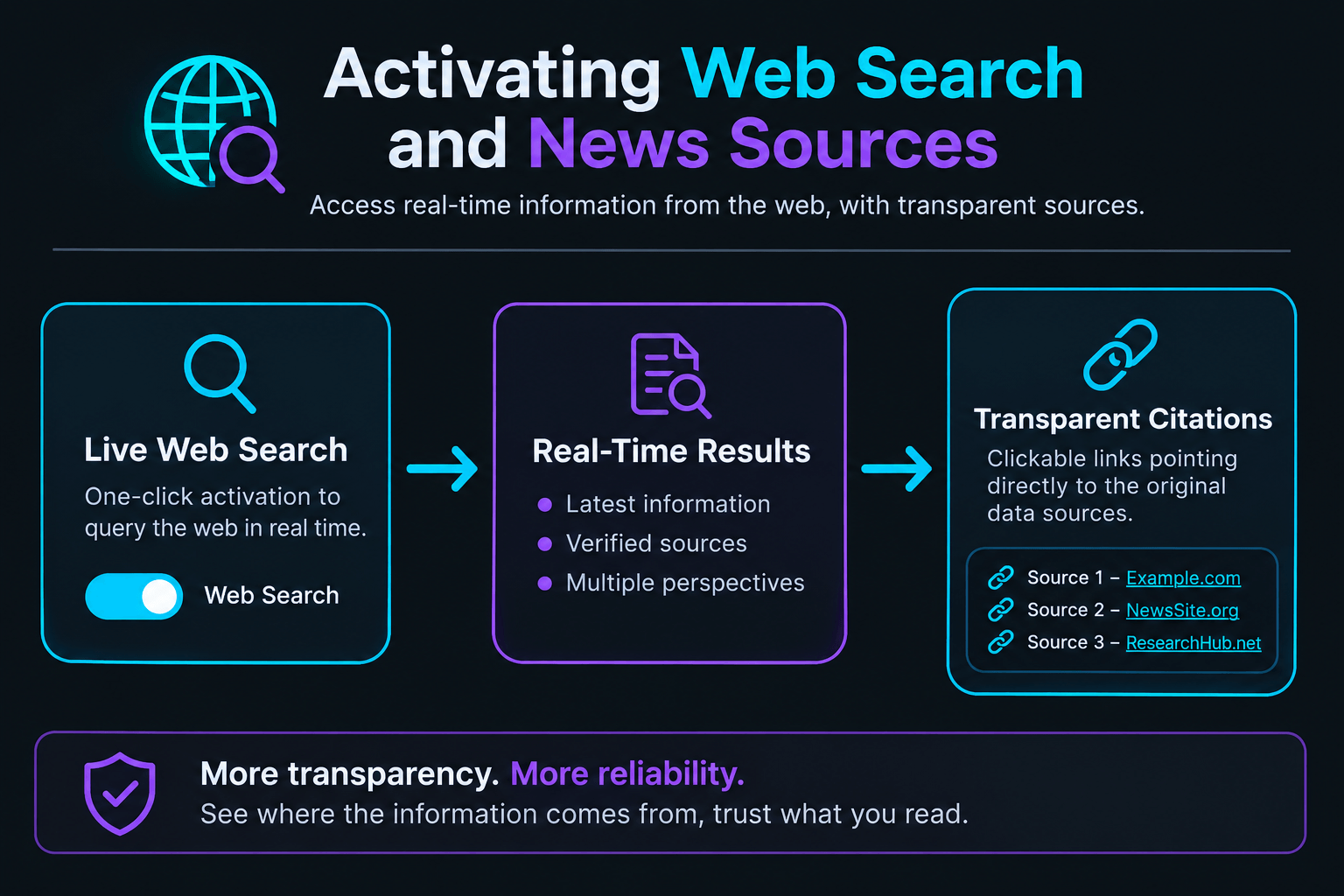
Key points of the diagram
- Live Web Search: One-click activation to query the web in real time.
- Transparent Citations: Integration of clickable links pointing directly to the original data sources.
Analyzing Complex Documents with Built-in OCR
Analyzing complex documents relies on the Pixtral Large model to extract text from your scanned PDFs. Simply drag and drop your file into the input area to start the extraction. I tested this feature with a poorly scanned ten-page financial report. Extracting tables of figures is often torture for AIs. Yet, Mistral’s vision model does an excellent job. It reconstructs the tables in a readable format. Consequently, you save valuable time during your market analyses. Key figures are extracted without major errors. However, always double-check sensitive data. Interpretation errors are still possible on handwritten fonts.
Simplified management of PDF and image formats
Format management by Mistral AI’s OCR lets you seamlessly process both PDF files and scanned images. The interface automatically converts these visual documents into editable text blocks. In practice, the tool supports the most common formats on the market. You can import large documents without any noticeable slowdown. Furthermore, the original layout is preserved as much as possible during conversion.
Mastering Complex Document Ingestion and OCR
The assistant features high-performance optical character recognition to read all your files.
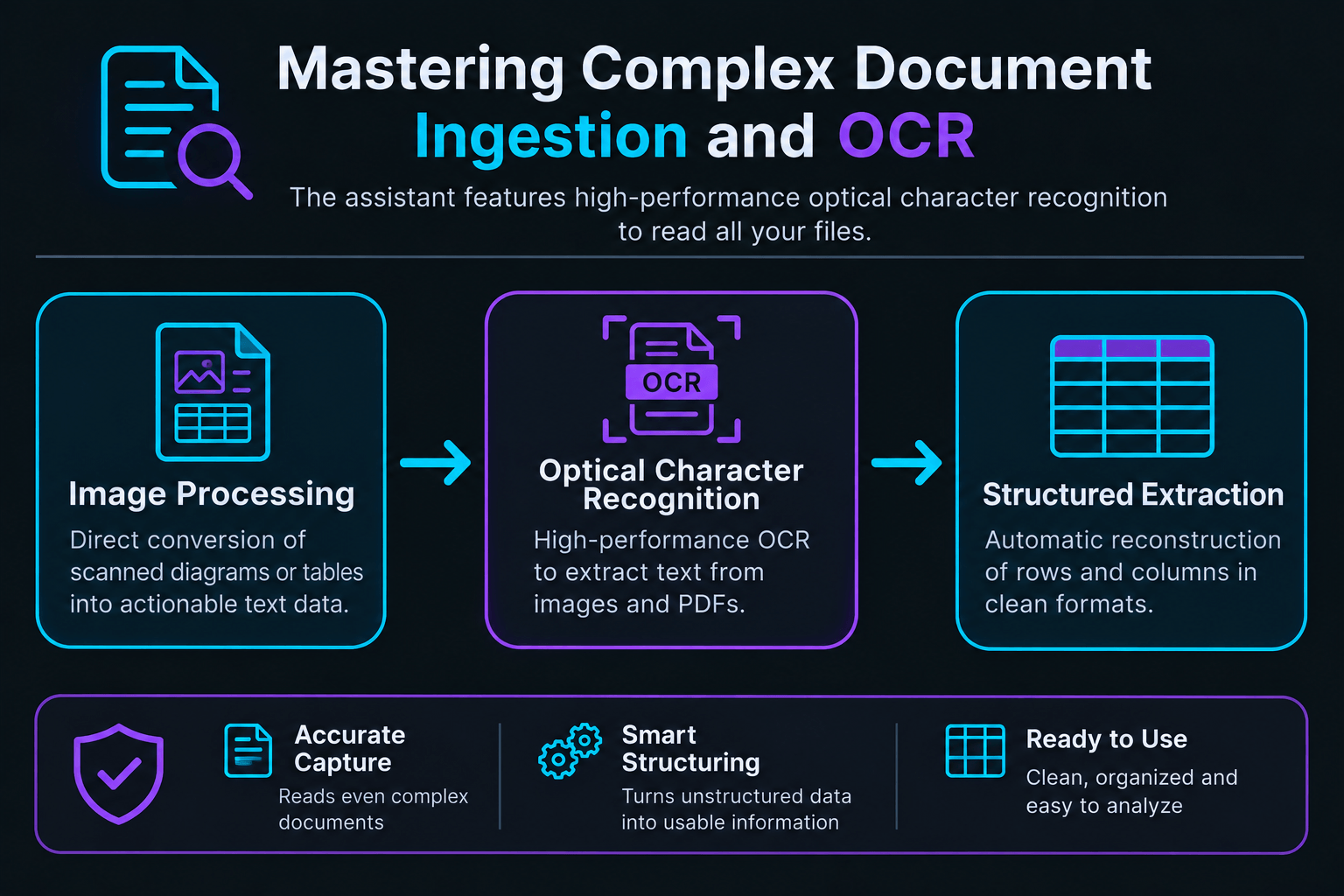
Key points of the diagram
- Image Processing: Direct conversion of scanned diagrams or tables into actionable text data.
- Structured Extraction: Automatic reconstruction of rows and columns in clean formats.
Real-Time Collaboration with Vibe Work
The co-editing space once known as Canvas now lives inside Vibe Work, letting you work side-by-side with the AI on your documents. This interface splits the screen to edit your content directly without cluttering the main chat thread. This feature activates automatically when writing long texts. In fact, it is very similar to Claude’s Artifacts tool. You can modify a specific sentence directly in the document. On the other hand, you don’t need to regenerate the entire text each time. It’s a clear productivity boost. Plus, you can request targeted adjustments to a specific paragraph. Vibe Work also goes further than the old Canvas: it can connect to Google Workspace, Outlook, SharePoint, Slack, or GitHub, laying out a step-by-step plan for review before it touches any of your files. According to Mistral AI (2026), the architecture update with Mistral Medium 3.5, released in May 2026, significantly expanded its context window to process massive volumes of text.
Structuring Collaborative Projects with Vibe Work
Vibe Work separates the discussion from the writing area for a seamless workflow, and groups related conversations and files together under Projects.
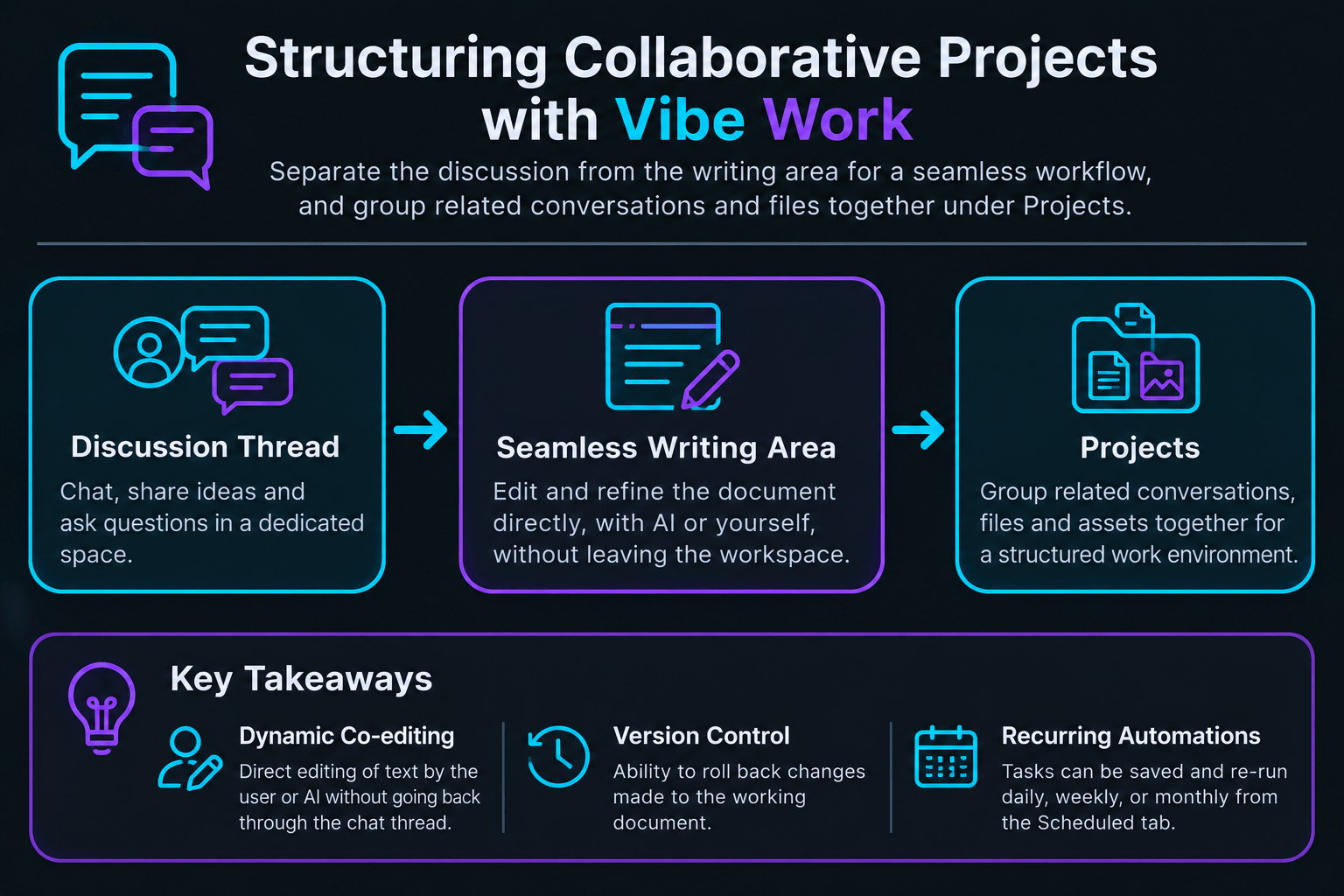
Key takeaways
- Dynamic Co-editing: Direct editing of text by the user or AI without going back through the chat thread.
- Version Control: Ability to roll back changes made to the working document.
- Recurring Automations: Tasks can be saved and re-run daily, weekly, or monthly from the Scheduled tab.
What Are the Platform’s Current Technical Limits?
Vibe’s limitations lie primarily in the fact that its native integrations with everyday business tools, while newly expanded, are still less mature than those of long-established American competitors. Additionally, generation times sometimes stretch during peak usage on the heaviest models, especially for long-running Work or Code sessions. In my opinion, the coding and productivity agents are a genuine step up from the old Le Chat, but the connector library still lags behind rivals like ChatGPT or Claude in terms of sheer breadth. In fact, hands-on tests published in independent reviews note that the free tier is too heavily restricted to fully evaluate these agentic workflows, and key collaboration tools like the Canvas are locked behind a paid plan. Still, the technical team is making rapid progress. Regular updates are fixing interface instabilities. For workflows outside the supported connectors, you’ll still need some manual copying and pasting, which can be frustrating for fully automated pipelines. Additionally, the mobile app still lacks smoothness compared to its direct competitors, and there is no advanced voice mode to speak of yet.
How to Organize Knowledge with Custom Libraries
Vibe’s custom libraries, accessible through the Context section, allow you to store and organize your recurring documents for quick access during work sessions. This feature saves you from having to upload your reference files for every new conversation. In practice, I use this option to store our editorial guidelines and product sheets. This way, the AI directly applies our style rules without constant reminders. To do this, click on the Context tab in the sidebar. You can upload your PDFs with a single click. Then, create thematic folders based on your current projects. It is an incredibly effective method for maintaining perfect consistency across your deliverables. What’s more, this centralized knowledge base simplifies collaborative teamwork. Your colleagues can access the exact same verified information sources directly, and shared agents built on top of it stay consistent across the whole team.
Writing Effective Prompts to Maximize Response Relevance
Writing effective prompts on Vibe relies on giving the AI a clear role and providing precise context. The more detailed your formatting and tone constraints, the better the output will match your professional expectations. For example, avoid overly short queries like ‘rewrite this text.’ Instead, favor a structured prompt with concrete examples of the expected output. Indeed, the AI needs precise parameters to calibrate its response. You can specify the target audience of your document and set a maximum length for the desired response. In my opinion, this is key to avoiding unnecessary fluff from the algorithm. For Work mode tasks in particular, it also helps to review the action plan the agent proposes before approving it, adjusting any step that doesn’t match what you had in mind. However, don’t hesitate to iterate if the result isn’t quite right. Vibe perfectly understands successive correction requests.
Comparing Models and Plans Available in the Ecosystem
Here is a summary of the performance observed during our tests of the publisher’s various models, along with the current subscription tiers.
| AI Model | Primary Use Case | Observed Strengths |
|---|---|---|
| Mistral Large 3 | Complex general tasks, coding, and advanced logic | Excellent French comprehension, structured reasoning |
| Mistral Medium 3.5 | Default mode, extreme speed, and large context | Ultra-fast generation, 256,000-token window |
| Pixtral Large | Image, chart, and scanned document analysis | Precise OCR on complex PDFs, chart reading |
| Plan | Price | Best For |
|---|---|---|
| Free | $0/month | Casual use, with limited daily interactions |
| Pro | $15.99 to 20.99$/month ($5.99-$7.99 for students) | Power users, freelancers, no-telemetry mode |
| Team | $54.99-$68.99/user/month | Shared workspaces, admin controls, centralized billing |
| Enterprise | Custom pricing | On-premise deployment, SAML SSO, custom models |
Prices reflect what was publicly listed in mid-2026 and may change – double-check current rates on Mistral AI’s site before publishing.
💡 Our Tech Analysis:
In my opinion, the strength of this ecosystem lies in the perfect balance between technical performance and data sovereignty, and the shift from Le Chat to Vibe makes that case even stronger by turning a solid chatbot into a genuine work agent. By avoiding exposing your files to non-European clouds, you protect your trade secrets while benefiting from a model that rivals the best American standards. However, the platform still needs to refine its integration with external productivity tools, and its underlying models still trail the top American labs on general reasoning benchmarks, to become a fully indispensable daily asset.
This sovereign tool is increasingly establishing itself as a serious alternative for European professionals. With that in mind, are you ready to trust your work documents to an AI hosted on our continent rather than the tech giants across the Atlantic?
Chargement de la galerie…

Creator of IActualité and a rigorous tech tester. With a keen analytical mind and surgical precision, I put AI tools through their paces to deliver practical guides and transparent, unfiltered verdicts. Passionate about Linux, robots, and pop culture!
L'intelligence artificielle, c'est comme un T-Rex dans un parc d'attractions : c'est fascinant à observer, mais il vaut mieux savoir exactement comment la clôture a été codée avant de s'en approcher.

0 Comments