
- Intelligent UI: The Live Interactivity Experience
- My Testing Protocol on GPT-6 Sol: From First Bug to Functional Widget
- How Does GPT-6 Intelligent UI ChatGPT Work Under the Hood?
- The Promise of Speed Versus Real-World Observations
- How to Configure, Limit, or Disable the Visual Display
- GPT-6 Sol vs. Claude’s Artifacts: The Technical Comparison
- A Prompt to Test ChatGPT’s Interface
- Recommended Reading
🎙️ Tester's Verdict (Audio)
Listen to our final thoughts
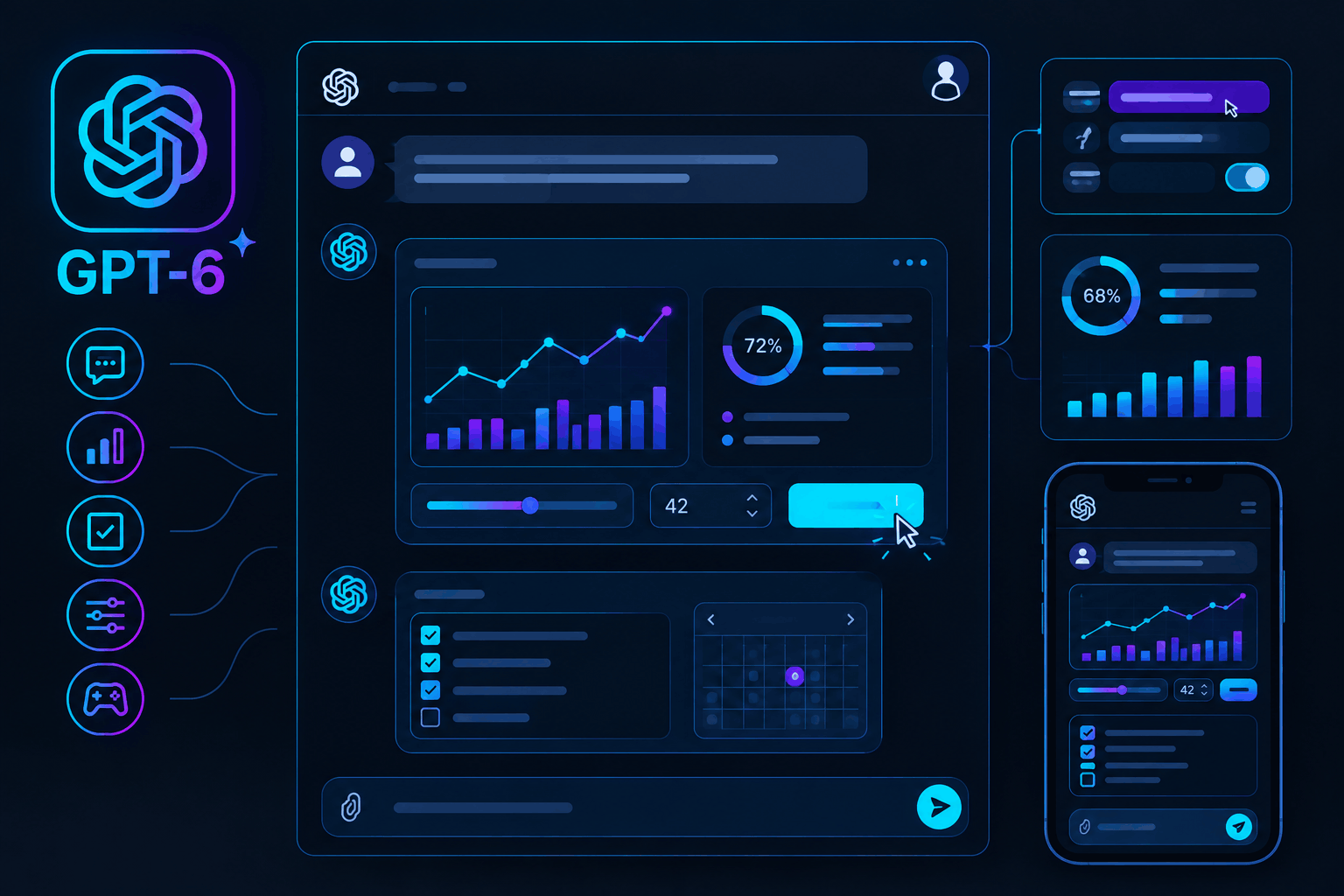
Intelligent UI: The Live Interactivity Experience
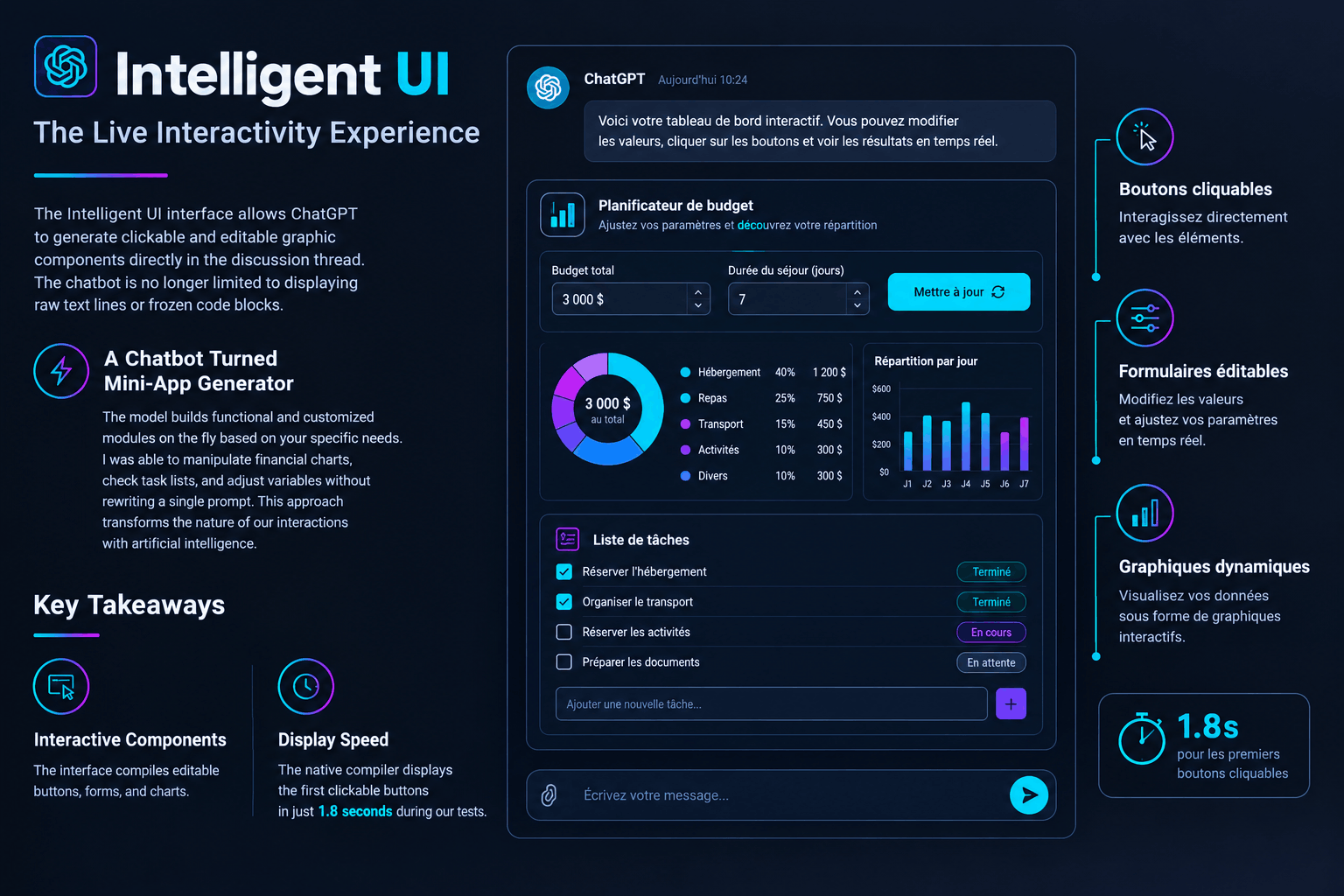
The Intelligent UI interface allows ChatGPT to generate clickable and editable graphic components directly in the discussion thread. The chatbot is no longer limited to displaying raw text lines or frozen code blocks.
A Chatbot Turned Mini-App Generator
The model builds functional and customized modules on the fly based on your specific needs. I was able to manipulate financial charts, check task lists, and adjust variables without rewriting a single prompt. This approach transforms the nature of our interactions with artificial intelligence.
Key Takeaways from This Interface
- Interactive Components: The interface compiles editable buttons, forms, and charts.
- Display Speed: The native compiler displays the first clickable buttons in just 1.8 seconds during our tests.
My Testing Protocol on GPT-6 Sol: From First Bug to Functional Widget
Testing GPT-6 Sol requires an active ChatGPT Plus account and a modern web browser. During my test on a MacBook Pro M3 Max using Chrome, activation was completely seamless.
The Interactive Budget Tool Scenario
I initially tried to design a budget tracking tool with a simple descriptive sentence. My first attempt failed because the chatbot returned a standard static table in Markdown format. I had to refine my approach by specifying that I wanted a clickable interface with adjustment sliders. After this correction, compilation started and the interactive widget appeared on screen. If you encounter a frozen display, a quick page refresh reactivates the dynamic elements without losing your history.
How Does GPT-6 Intelligent UI ChatGPT Work Under the Hood?
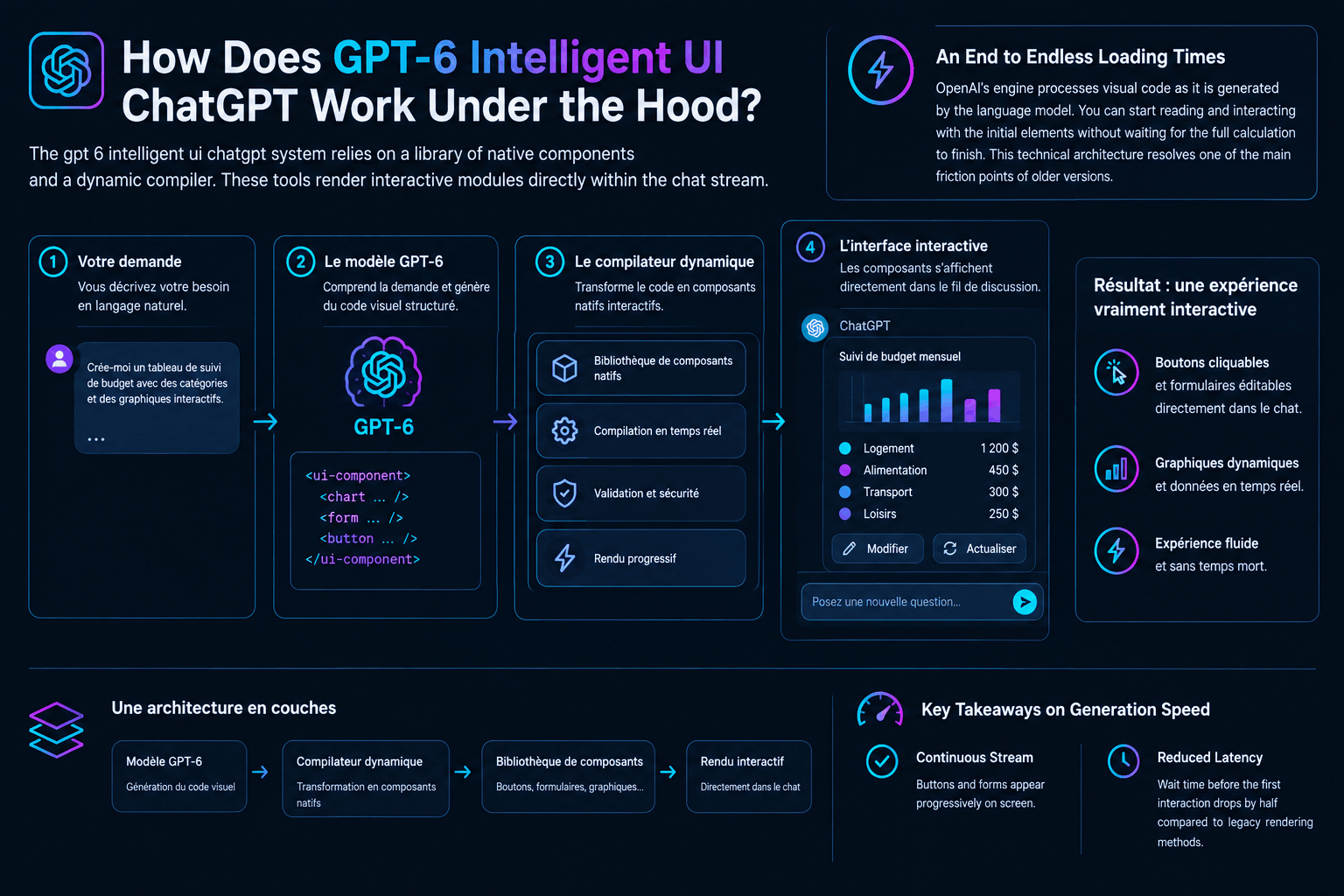
The gpt 6 intelligent ui chatgpt system relies on a library of native components and a dynamic compiler. These tools render interactive modules directly within the chat stream.
An End to Endless Loading Times
OpenAI‘s engine processes visual code as it is generated by the language model. You can start reading and interacting with the initial elements without waiting for the full calculation to finish. This technical architecture resolves one of the main friction points of older versions.
Key Takeaways on Generation Speed
- Continuous Stream: Buttons and forms appear progressively on screen.
- Reduced Latency: Wait time before the first interaction drops by half compared to legacy rendering methods.
The Promise of Speed Versus Real-World Observations
Response startup speed improves by 44% on complex web search queries according to OpenAI benchmarks. Our tests confirm a noticeable gain in responsiveness during initial rendering. The publisher highlights increased fluidity for tasks requiring real-time internet access. In real-world conditions, I observed that the first lines display instantly while search executes in the background. It is hard to tell whether the slight stutter observed in 3D rendering came from an OpenAI server load or my local connection, but the result remains convincing. The model targets its sources with higher precision compared to the previous generation.
How to Configure, Limit, or Disable the Visual Display
Disabling Intelligent UI is done directly from your ChatGPT account settings. This option allows you to revert to a classic plain-text view to save data. Some users prefer the simplicity of the text console to focus on response content. OpenAI’s support guide explains that it is possible to restrict this feature. Simply go to your settings, then select the basic layout option to reduce visual elements. Saved preferences guide chatbot behavior without completely blocking essential interactive tools.
💡 Our Tech Analysis:
The arrival of Intelligent UI marks a turning point in software interface design. OpenAI is no longer merely attempting to perfect a search engine, but creating an ephemeral operating system. This capability to generate disposable applications resolves the rigidity of traditional software. However, full reliance on OpenAI servers raises questions regarding data sovereignty and sustainability for enterprises integrating these tools into business processes.
GPT-6 Sol vs. Claude’s Artifacts: The Technical Comparison
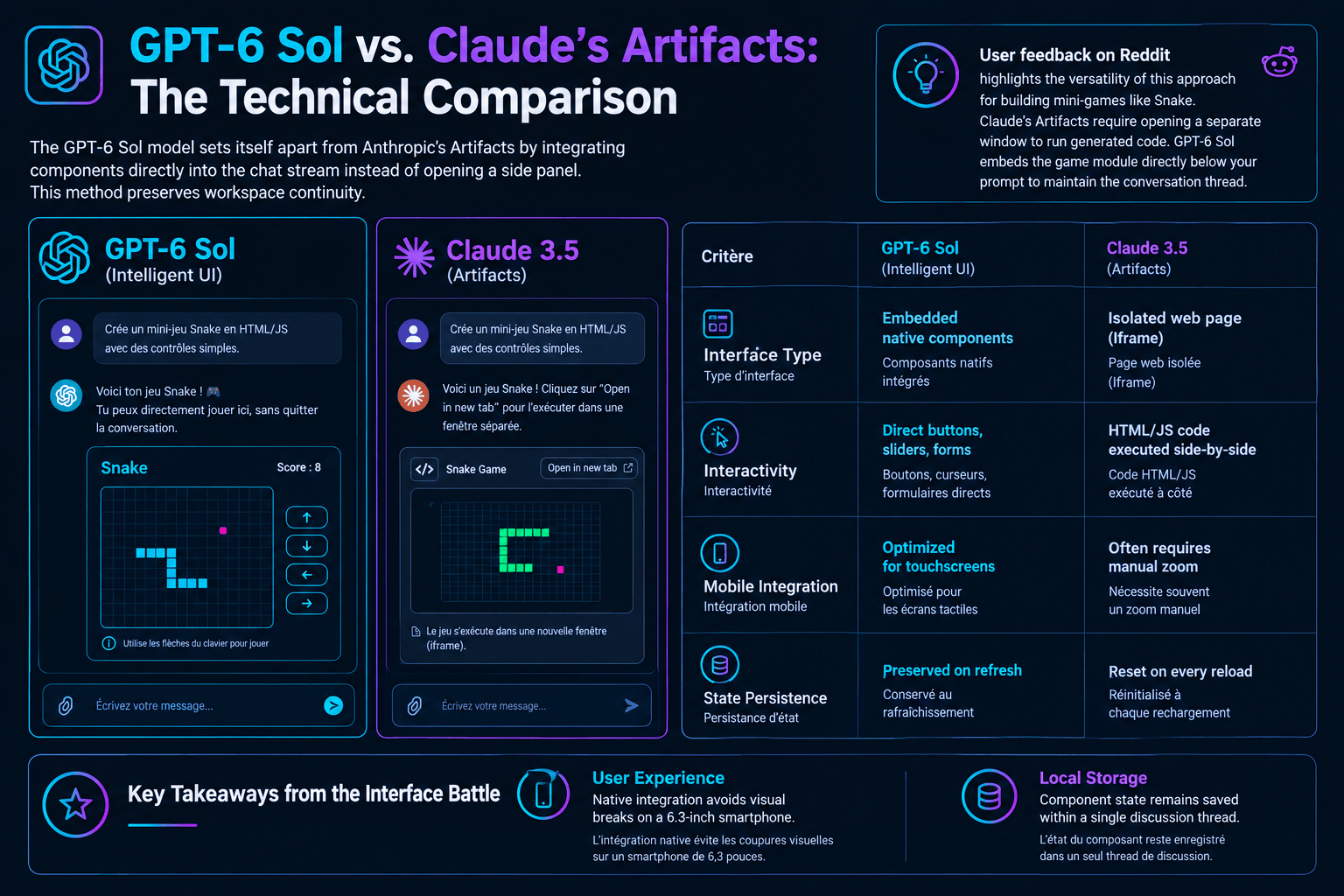
The GPT-6 Sol model sets itself apart from Anthropic’s Artifacts by integrating components directly into the chat stream instead of opening a side panel. This method preserves workspace continuity. User feedback on Reddit highlights the versatility of this approach for building mini-games like Snake. Claude’s Artifacts require opening a separate window to run generated code. GPT-6 Sol embeds the game module directly below your prompt to maintain the conversation thread.
| Criterion | GPT-6 Sol (Intelligent UI) | Claude 3.5 (Artifacts) |
|---|---|---|
| Interface Type | Embedded native components | Isolated web page (Iframe) |
| Interactivity | Direct buttons, sliders, forms | HTML/JS code executed side-by-side |
| Mobile Integration | Optimized for touchscreens | Often requires manual zoom |
| State Persistence | Preserved on refresh | Reset on every reload |
Key Takeaways from the Interface Battle
- User Experience: Native integration avoids visual breaks on a 6.3-inch smartphone.
- Local Storage: Component state remains saved within a single discussion thread.
A Prompt to Test ChatGPT’s Interface
You can test this new feature by sending a precise instruction to GPT-6 Sol. Here is a prompt template designed to force the generation of a complete interactive tool.
Prompt to copy
The global rollout of this update aligns with rapid adoption among businesses. According to the 2026 PwC AI Performance Study, only 20% of organizations currently capture 74% of the economic value generated by AI. These leaders stand out through their speed in adopting next-generation tools. At the same time, a study by Juniper Research (June 2026) estimates that the global conversational AI market will reach $8.5 billion by 2030. This growth is driven by the rise of autonomous agent models capable of manipulating complex interfaces. Test this prompt now to turn your chat thread into a real interactive dashboard.
Chargement de la galerie…

Creator of IActualité and a rigorous tech tester. With a keen analytical mind and surgical precision, I put AI tools through their paces to deliver practical guides and transparent, unfiltered verdicts. Passionate about Linux, robots, and pop culture!
L'intelligence artificielle, c'est comme un T-Rex dans un parc d'attractions : c'est fascinant à observer, mais il vaut mieux savoir exactement comment la clôture a été codée avant de s'en approcher.



0 Comments