
- The nightmare of endless threads resolved by AI?
- How does the chatgpt messages mac integration work technically?
- Step-by-step setup: how to activate it (and is there a catch?)
- Security and privacy: why granting “Full Disk Access” raises eyebrows
- The comparison: ChatGPT Messages vs Apple Intelligence (Siri)
- Recommended Reading
🎙️ Tester's Verdict (Audio)
Listen to our final thoughts
The nightmare of endless threads resolved by AI?
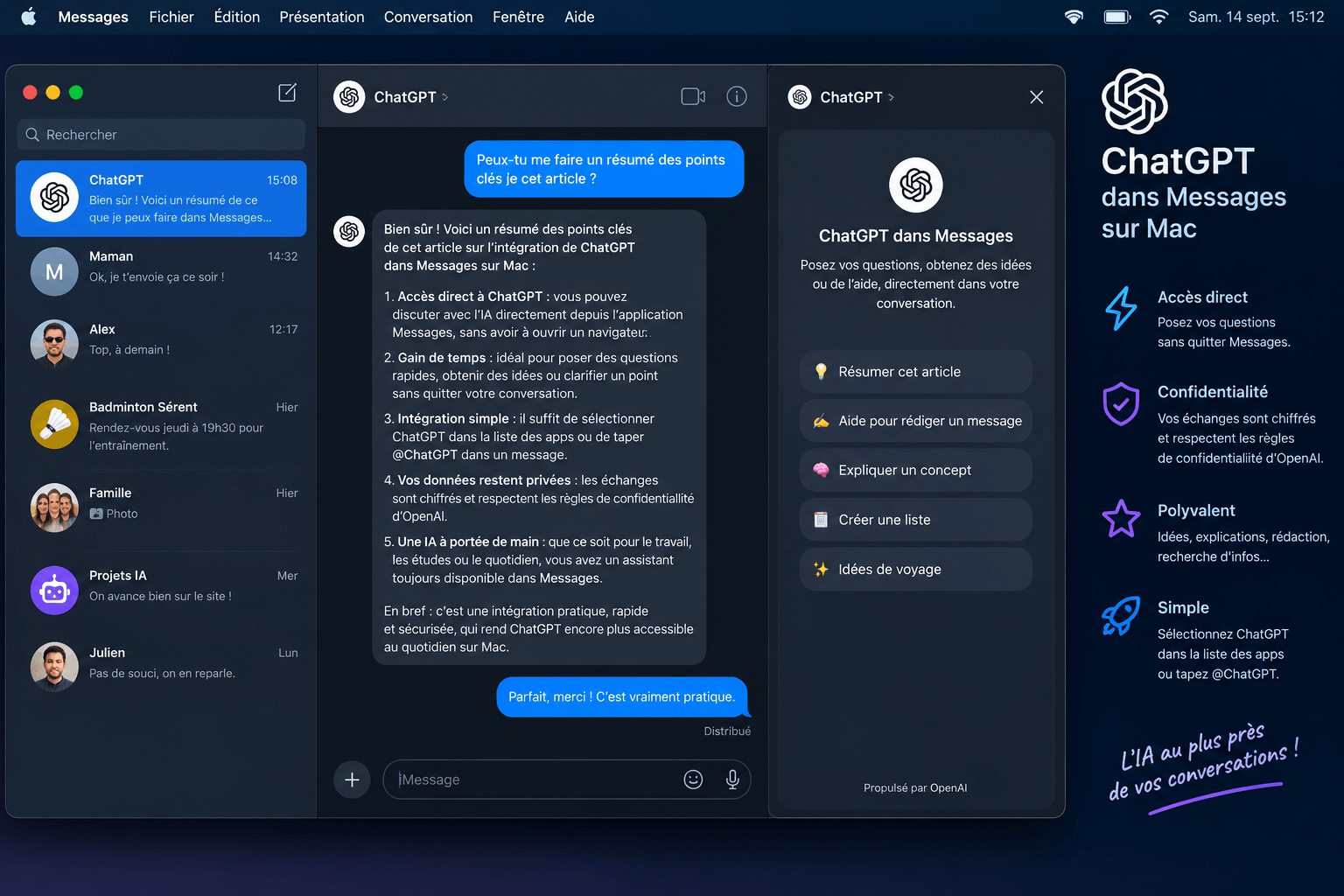
Integrating ChatGPT into the Messages app on Mac allows you to fully automate history searches and draft SMS, iMessage, and RCS. This plugin solves the problem of scattered conversations by indexing your local messages to extract key information in seconds. In practice, I have often lost precious time scrolling through miles of conversations. When testing this feature, I found it incredibly useful to ask ChatGPT to retrieve missed questions from the previous day or locate specific dates within discussions, as highlighted by 9to5Mac. Now, a simple text query is enough to scan months of exchanges. ChatGPT extracts the information, summarizes it, and even prepares an appropriate response. For example, you can ask it to list pending follow-ups or summarize key points. The AI does not act like a simple basic messaging robot. It analyzes the context of each message to suggest concrete actions.
How does the chatgpt messages mac integration work technically?
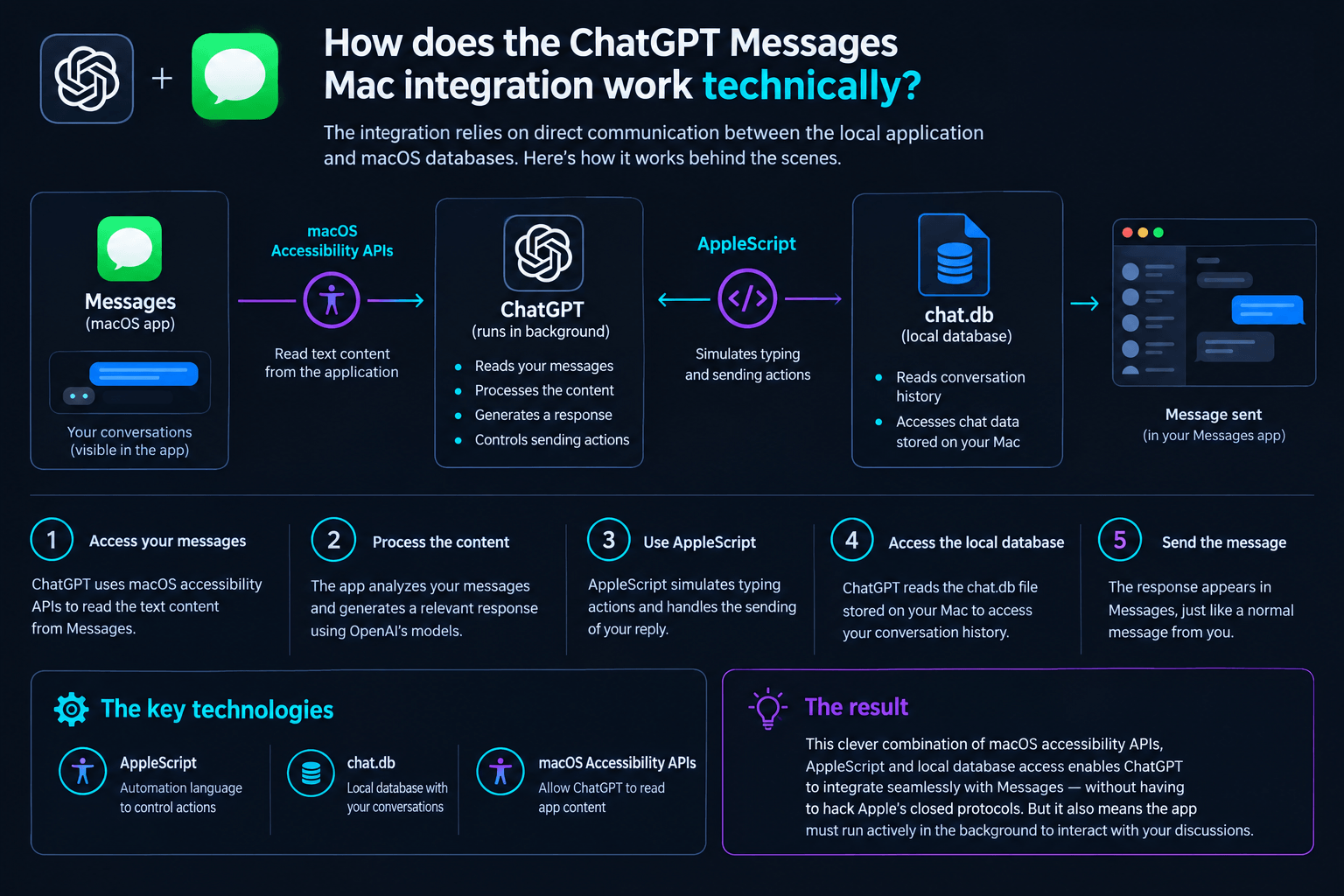
The architecture of this integration relies on direct communication between the local application and macOS databases.
The basics of local automation
These tools leverage macOS accessibility resources to interact seamlessly with your applications.
- AppleScript: This Apple automation language serves as a gateway to execute drafting and sending actions.
- Local database: ChatGPT directly accesses the chat.db file stored on the Mac to read your conversation history.
How it works under the hood is particularly ingenious. The tool uses macOS accessibility APIs to read text content. It then relies on AppleScript to simulate typing actions. This approach avoids having to hack Apple’s closed protocols. ChatGPT must run actively in the background to interact with your discussions.
Step-by-step setup: how to activate it (and is there a catch?)
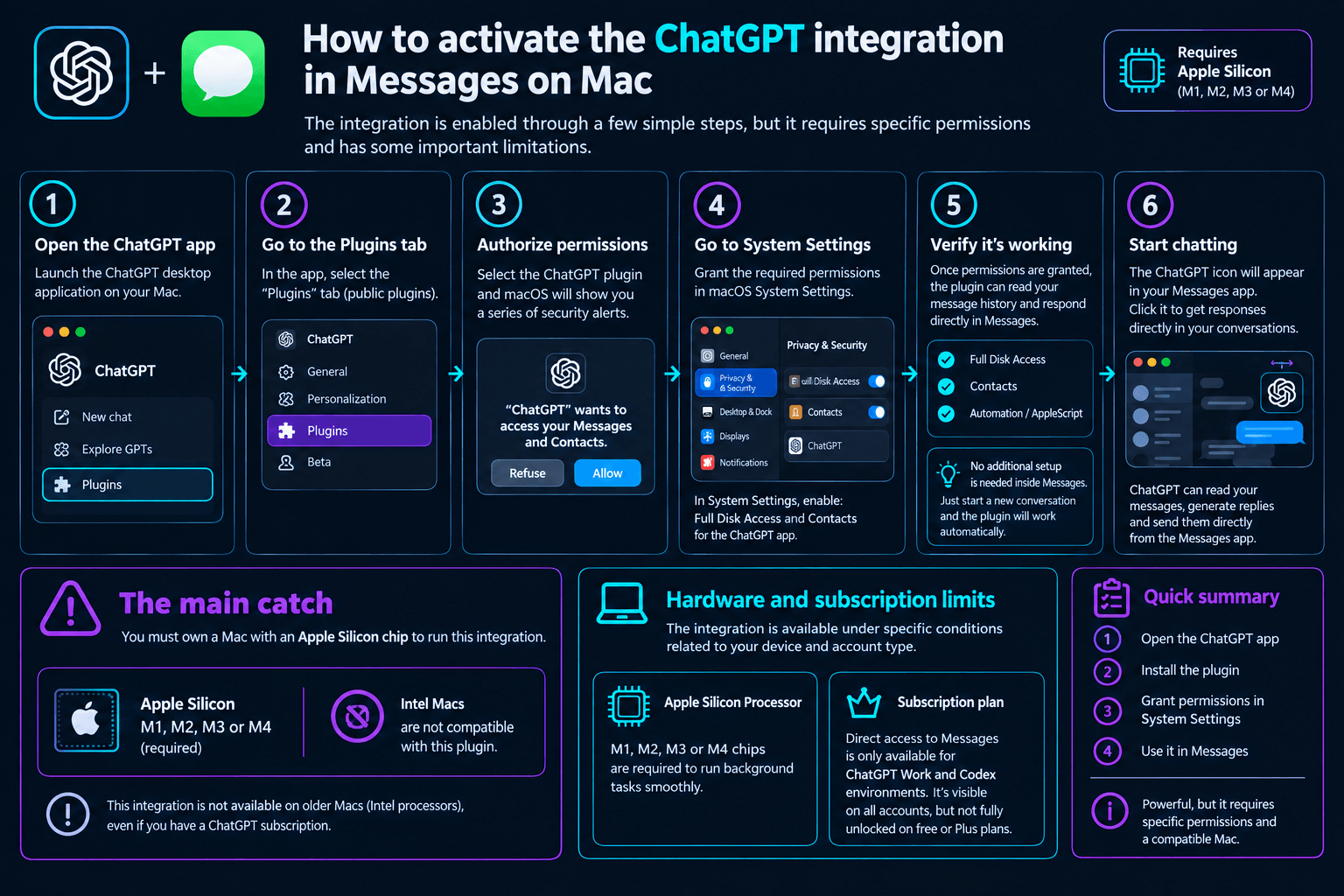
Activation requires manually granting Full Disk Access and automation permissions to the ChatGPT app in macOS System Settings. The main catch is that you must own a Mac equipped with an Apple Silicon chip to run this plugin. To set up the tool, open the ChatGPT desktop app. Then, go to the public plugins tab. Once the plugin is selected, macOS displays a series of security alerts. This is where the user must be vigilant. You must go to System Settings to grant Full Disk Access. Without this step, the chatbot will not be able to access your history. Access to your contacts’ names also remains necessary.
Hardware and subscription limits
The plugin imposes strict restrictions related to your machine’s architecture and your account type.
- Apple Silicon Processor: M1, M2, M3, or M4 chips are essential to run these background tasks smoothly.
- Subscription plan: Although visible on all accounts, direct access to messages remains reserved for ChatGPT Work and Codex environments.
Security and privacy: why granting “Full Disk Access” raises eyebrows
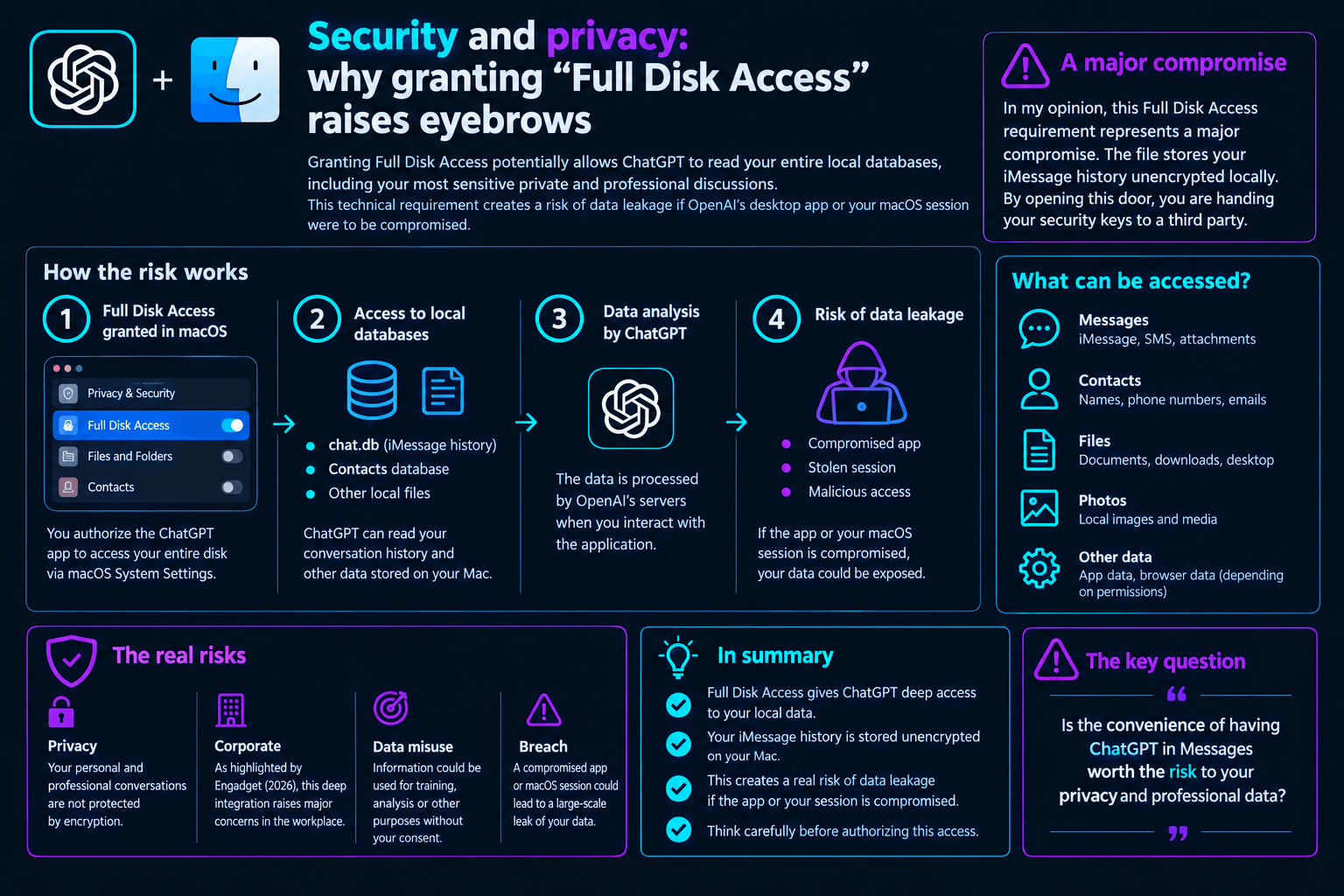
Granting Full Disk Access potentially allows ChatGPT to read your entire local databases, including your most sensitive private and professional discussions. This technical requirement creates a risk of data leakage if OpenAI’s desktop app or your macOS session were to be compromised. In my opinion, this Full Disk Access requirement represents a major compromise. The file stores your iMessage history unencrypted locally. By opening this door, you are handing your security keys to a third party. As highlighted by Next.ink, giving an AI tool complete access to the local database effectively allows it to bypass Apple’s historical messaging isolation, raising serious concerns regarding the confidentiality of private exchanges. According to Gartner, 2024, 76 percent of enterprise security leaders report that employee use of unauthorized generative AI tools introduces significant operational vulnerabilities.
💡 Our Tech Analysis:
The requirement to open Full Disk Access to read the local chat.db file highlights a major contradiction in Apple’s privacy strategy. While the Cupertino firm has historically locked down its messaging protocols to guarantee end-to-end encryption, this local gateway effectively bypasses these security barriers as soon as data hits the machine’s physical storage. This integration shows that automation through generative artificial intelligence currently faces a difficult trade-off between user fluidity and corporate data isolation. For organizations, relying on third-party tools that directly access local databases redefines cyber risk analysis in the era of intelligent agents.
Manual validation of sent messages
By default, the sending system relies on double human validation to prevent sending erroneous messages.
- Mandatory manual validation: ChatGPT prepares the draft, but you retain final control.
- OpenAI Recommendations: The publisher strongly advises against enabling permanent automatic sending permission.
Keeping this human validation step remains the best way to avoid mistakes. According to the Pew Research Center, 2023, 52 percent of US adults express more concern than excitement about the rise of artificial intelligence, and this precaution protects your contacts from AI hallucinations.
The risk of approval bypasses
Certain specific configurations or automated scripts can temporarily disable the application’s security prompts.
- Approval bug: OpenAI has identified a known issue where certain tasks disable send validation requests.
- Prudent measure: I advise using this feature only for analysis tasks.
This unexpected behavior could allow the AI to send messages on its own. The security risk must therefore be carefully evaluated.
The comparison: ChatGPT Messages vs Apple Intelligence (Siri)
While ChatGPT Messages relies on a powerful cloud API capable of complex analysis but demanding in terms of permissions, Apple Intelligence runs its models locally to guarantee maximum privacy. OpenAI’s solution offers greater writing flexibility, while Apple’s prioritizes end-to-end data security. The comparison between these two approaches reveals opposing philosophies. Apple offers a native integration processed locally on the device. OpenAI offers a more versatile but more intrusive third-party tool. The user must install and manually configure the plugin themselves. According to Statista, 2024, desktop utility plugin adoption among general consumers remains under 15 percent, showing this voluntary process targets a strictly informed audience.
| Criterion | ChatGPT Messages Plugin | Apple Intelligence (Siri) |
|---|---|---|
| Data Processing | Cloud (OpenAI servers) | Mainly local (On-device) |
| Required Permissions | Full Disk Access, Automation | Native and seamless system integration |
| Protocol Compatibility | iMessage, SMS, and RCS | iMessage, SMS, and RCS |
| Level of Control | Mandatory manual validation by default | Direct integration without intrusive prompts |
| Key Features | Complex search, drafting, advanced summarization | Quick replies, system writing tools |
An inevitable coexistence on macOS
Using Apple and OpenAI tools together allows you to benefit from the best of both worlds on a daily basis.
- Task synergy: Apple Intelligence handles quick corrections on the keyboard.
- In-depth analysis: ChatGPT excels at summarizing long professional discussion threads.
The real strength of OpenAI lies in the synergy with its ecosystem of tools. This interconnection remains difficult to replicate today with Apple’s tools alone.
Chargement de la galerie…

Creator of IActualité and a rigorous tech tester. With a keen analytical mind and surgical precision, I put AI tools through their paces to deliver practical guides and transparent, unfiltered verdicts. Passionate about Linux, robots, and pop culture!
L'intelligence artificielle, c'est comme un T-Rex dans un parc d'attractions : c'est fascinant à observer, mais il vaut mieux savoir exactement comment la clôture a été codée avant de s'en approcher.



0 Comments