


















Publié : 19 December 2025
Actualisé : 3 hours ago
Fiabilité : ✓ Sources vérifiées
Je mets à jour cet article dès que de nouvelles informations sont disponibles.
Imagine an AI assistant that debugs your code in real-time, directly from your terminal. Google’s Gemini CLI promises to transform development. But is this deep integration really a revolution, or just another gadget?
As an AI-focused tech columnist, I’m always torn between enthusiasm and caution when faced with new promises. Gemini CLI, which integrates Google’s AI directly into your command-line development environment, sparks both hope and a few concerns.
✨ Gemini CLI: An AI Assistant at Your Fingertips
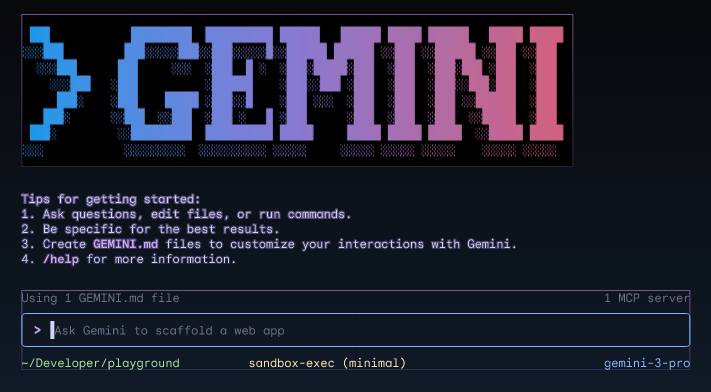
The idea is simple: after authenticating with your Google account, you can use Gemini CLI to analyze code, identify bugs, and suggest corrections, all without leaving your terminal. No more endless back-and-forth between the code editor and the browser! This tool positions itself as an “intelligent co-programming partner” capable of understanding the context of your codebase.
The source article details the steps to install and configure Gemini CLI, which requires a Google account, Python 3.12 or higher, and Node.js 20 or higher. Installation is done via npm, the Node.js package manager. Once authenticated, you can start interacting with the AI via natural language queries.
After you authenticate with your Google account, this tool will be ready to help you analyze code, identify bugs and suggest fixes – all without leaving your familiar development environment.
What’s interesting here is the reduction of friction. A developer spends a lot of time searching for information, understanding existing code, or tracking down bugs. Integrating AI directly into the terminal could potentially speed up these tasks significantly. The main argument is therefore a gain in time and an improvement in productivity.
🛠️ Engineering Perspective: The Challenges of Local Inference
However, this approach raises several questions from a technical point of view. First, latency. Even if the AI is accessible via the terminal, the requests are probably sent to Google’s remote servers. The response time could be a drag on adoption, especially compared to local code analysis tools that are instantaneous. It’s a classic trade-off: the power of AI in the cloud versus the speed of execution locally.
In addition, security is a crucial aspect. Sending code to a third-party service, even if it’s Google, raises questions of confidentiality and intellectual property. It is essential to understand the terms of use and the guarantees offered by Google before using Gemini CLI on sensitive projects. The model architecture is not open-source, which means that we have no visibility on what is happening “under the hood”.
Finally, the cost. The article mentions a “free tier” offering one thousand requests per day and sixty requests per minute. But what about beyond these limits? What will be the price for more intensive use? The scale factor is essential here. If Gemini CLI becomes an indispensable tool, its cost could become a barrier for independent developers or small businesses.
🛡️ Attack Vector: The Risks of Ubiquitous AI
The ubiquity of AI in the development process also opens new doors to attack vectors. Imagine a scenario where a compromised AI model subtly injects security flaws into the suggested code. Developers, used to trusting AI, may not detect these flaws, thus paving the way for massive attacks. It is therefore necessary to remain vigilant and never consider the suggestions of the AI as absolute truths.
This leads us to examine the potential impact on the software development value chain. If AI takes over increasingly complex tasks, what will be the role of developers? Will they become mere validators of AI-generated code? Or will they focus on more creative and strategic tasks? The answer to this question will depend on the evolution of technology and how we choose to integrate it into our workflows.
🔮 Projection and Risks
The future of Gemini CLI and similar tools is uncertain, but here are two possible scenarios:
Optimistic scenario: In the near future, Gemini CLI becomes an indispensable tool for developers, significantly increasing their productivity and allowing them to focus on the most creative aspects of their work. Latency and security issues are resolved through more powerful AI models and robust security protocols. The cost remains affordable, allowing all developers to benefit from it.
Pessimistic scenario: Gemini CLI remains an interesting gadget, but fails to establish itself due to latency, security, and cost issues. Developers remain wary of AI and prefer traditional code analysis tools. The ubiquity of AI in software development leads to a standardization of code and a loss of creativity.
❔ Frequently Asked Questions
What exactly is Gemini CLI and what is it used for?




0 Comments